
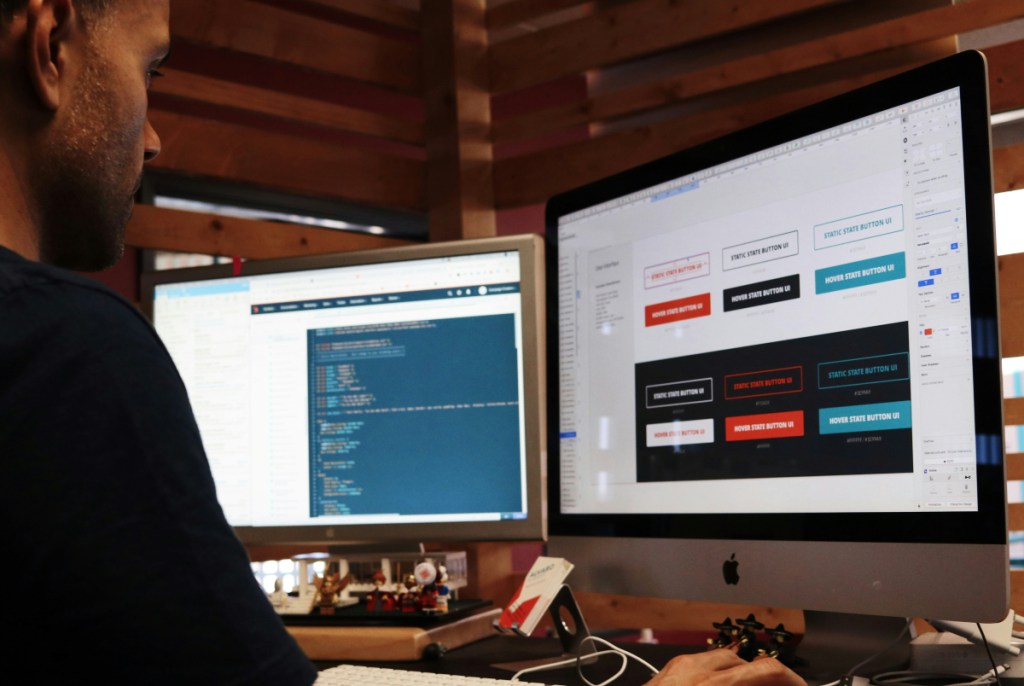
In my previous post, I talked about where I pour my energy into these days. As I write this on July 11, I’m currently working on our Project 2 – Vanilla JS. This project will test our skills on writing HTML, CSS, and JavaScript all at once. Plus, we have to integrate an API into our project.
When it was announced that we’ll have Project 2, I was daunted by the prospect of creating a project with JS. I admit, I’m not confident with JS yet. I have the basics down, but the logic doesn’t come to me so easily. Maybe I’m not great with logic at all. Hahaha. I need practice, of course. But I’m not here to talk about my feelings about creating Project 2. Let me introduce my still flawed and needs improvement app.
Updated July 16
What is Simula?

The name came to me as I was ideating for my app. I wanted to go with something simple, actually like a generator. I didn’t want to overcomplicate my life. However, I decided to go with a route that was familiar to me, which was astrology and tarot. I searched for APIs first since for me that was the practical thing to do. We needed to find a working API then adjust from there. I found some APIs, but some were paid. I found a free one and stuck to my astro and tarot idea.
However, as I tried incorporating the API into my code, it didn’t work, and I decided to switch to one of my other ideas. Instead, I found a free Tarot API which could fetch data and I thought this was a success.
Simula is an astrology and tarot app for beginners and skeptics. I’m a skeptic myself, yet I still use astrology and tarot for spirituality reasons. Hahaha. To clarify, I don’t use these two tools regularly. I use astrology as a retrospective tool, whereas tarot is a more guiding tool in some cases.
This was inspired by my journey, when my friends introduced me to astrology and tarot. Astrology came first, then tarot.
Let’s start with the Astrology widget. Originally, I wanted to use an Astro birth chart generator API. But I couldn’t find a free and tropical one. One had the Sidereal/Vedic one, which was something I didn’t focus on.
The original one was from Astro-Charts, but for some reason when I hid it using my CSS hide and reveal codes, the code didn’t work. I switched to another one, which looked old. I stuck to that for a while, but felt frustrated since it didn’t make sense with my vision. So I sought to find another version and came across a recent one. It still had its bugs, according to some users, but I used it and it works!
The Tarot API was created by ekelen. The developer was inspired by the Rider-Waite tarot to create 78 objects of all the cards, meanings, and descriptions. It was easy to fetch data (I used the lessons and YouTube videos to help me do this first). Then, the challenging part came: actually getting a random card.
It took a while, but eventually, all I needed to do was to use object methods to get a random card.
But as I said to Ms. Jem in our one on one, this idea was inspired by my friend, too. She’s a tarot reader (plugging her here, in case anyone’s interested!). I promised her a website for future use, and this is probably prototype 1, which is different from what I envisioned on what the website would look like.
That said, I also have another API but for a form. This API is from Web 3 Forms. This one’s beginner friendly because they have documentation depending on what type of form you need. Fortunately, it was easy to set up the API and I was able to customize my form.
Aside from that, I also had to add placeholders on the “Meet our Taro-t Sagostrolgers” section. I chose three heroes from the MCU because well, MCU. Haha. Plus, I wanted to get witty with the names, too.
Finally, I also needed to incorporate arrays, objects, and string literals, since it was part of the requirements. I have another page dedicated to learning about the signs, briefly. I made custom designs for those. However, the challenging part was pushing the array of objects into a drop down. Fortunately, I found fixes online on how to do that. But the most difficult part was making sure that the images appeared. DOM isn’t my strong suit, and while I found a fix online, I needed to tweak it to my code.
One bug I couldn’t quite fix is the broken image when you select “Select a Sign” after choosing from the others. This is probably something I’d like to tackle in the future when I get a handle on things.
This bug has been fixed ehe.
Design and Names
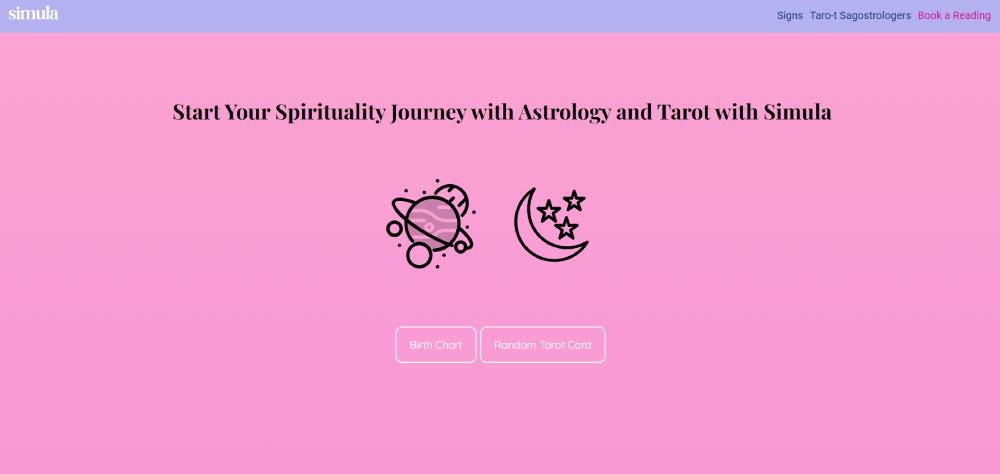
My design was inspired by the Strawberry Taro drink from Gong Cha. Yes, that’s right. I was intrigued by the drink. I actually like the strawberry and taro combo that I had to integrate into my design.
For the names, it was inspired by my first-ever favorite drink of all time. The Quickly Taro Sago. Hahaha. (See a pattern there?) That’s why the names of the taro-t sagostrologers are based on drinks you can order from Milk Tea places.
Plus, for the logo design, I used a combination of Canva, Photopea, and an SVG converter. I’m very particular with logo design, having written about it in my blogs about work.
Final Thoughts
Overall, I feel satisfied with my app. I have to admit, I have some shortcomings on how to write code. I need to practice more and make more mistakes. I believe that in the future, I can improve this code to make it work. Or create a new version to cater to my envisioned plan for my friend’s website.
Check out my deployed site here!
 Find My Flourish
Leave a comment