
After six months of sweat and tears, I can safely say that I finally graduated from Uplift Code Camp’s Part-Time Full-Stack Web Development Bootcamp!
I wouldn’t say it’s grueling but it was a challenging experience for someone without any tech background. I’m a writer and email support representative. I’m good at writing, but when writing code I have yet to reach what I consider a “decent” level. I’m still a beginner at JavaScript, but I’m happy to graduate and have new knowledge about the programming language. At this time, I can’t apply JavaScript at work, but HTML and CSS are two notable points that I can utilize.
In celebration of Sagittarius season, the house of [higher] learning (aside from Gemini/third house), here’s my experience in studying web development with Uplift Code Camp!
Disclaimer: I don’t want to stress this repeatedly throughout the blog, so I want to say this now: this is the experience of someone working two jobs (full-time and part-time) and was interested in learning web development. Each student’s experience is different, and if you’re like me who works two jobs that are unrelated to tech and web development, and wants to read about a similar experience, this blog post is for you! I can also refer you to my classmates for their experiences!
What We Studied in Uplift Code Camp Web Dev Bootcamp
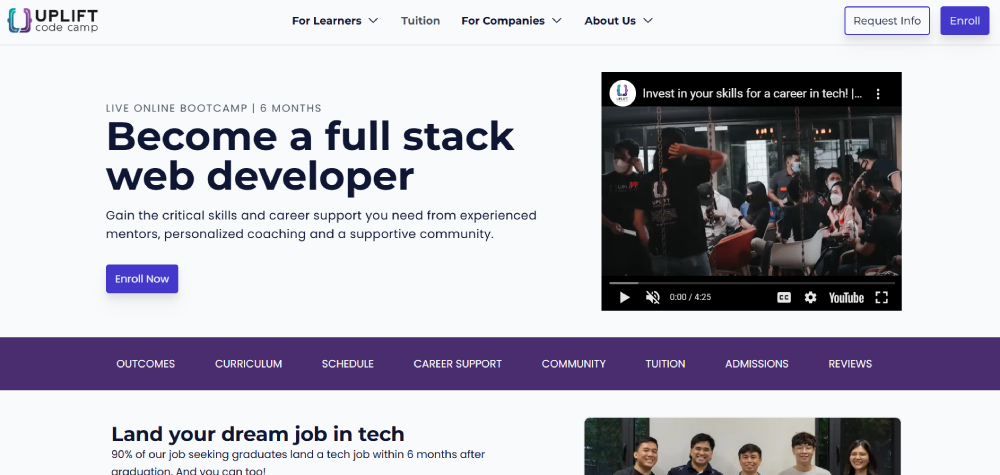
GIT
I was unfamiliar with Git when we were first introduced to it in class. I was acquainted with GitLab but didn’t know that Git would be essential from Day 1. I learned git commands like push, pull, and status, which would be necessary until the end of the class. Plus, you need a GitLab account to push all your activities, homework(s), and projects to when you need to submit them.
HTML
I think many people have a basic or general understanding of HTML thanks to their curriculum in high school. I did learn HTML in high school and used some of it on Tumblr (LOL) and at work.
Uplift teaches the basics of HTML elements. I also learned HTML attributes, headings, classes, and IDs. The concepts were easy to grasp and you can practice this with CSS elements, too, when creating a webpage.
CSS
Like HTML, CSS was taught in my high school. Plus, I used it only barely on my personal blogs and at work. However, Uplift taught us the CSS essentials and other concepts to develop a fully responsive website! Two particular areas of note are grids and flex boxes. I didn’t know this existed (haha if you thought of the Taylor Swift song, you’re not alone haha), and it was cool to learn about this. I struggled with responsiveness (and still do). However, you can continue practicing this after class.
JavaScript
We started with VanillaJS first, well because you know… basics. At first, I was still following the essentials like variables and doing simple math problems. But my god, the if statements and loops. Holy hell. At one point, I even cried doing an assignment. And to any senior or experienced JavaScript developer, you’re like why would you cry or get angry, well because I’m not as great as you (yet) LOL ahahaha. Give me some slack, okay haha I’m still learning!!
After the other concepts, I was feijdakdwamkdakdawkdmwak the whole time, trying to process everything. Yes, the keyboard smash encapsulates my feelings about studying VanillaJS.
Anyway, the VanillaJS project was my favorite! You can read more about it here.
React
The next topic after VanillaJS was React. Oh god the things I have to say about this LOL. However, let me just summarize everything to avoid rambling or spoiling. LOL. As always, the essentials are the first things we learn like how to code in React. However, it took me a while to appreciate React. Honestly, I think it was during the backend I think I learned how to code React properly. LOL.
Regarding the concepts like the Hooks, honestly, I think useState was the only one I liked since it was the first thing we learned HAHAHA. After that, again, I struggled.
I would like to express my disdain over a certain hook in Tagalog because I struggle to say it in English.
Sinusumpa kita useContext. Sana mawala ka na sa buhay ko char.
There.
HAHAHA. Other than those, my React project… well, let’s say it was a basic project. I didn’t think it through that much because I had a different plan, but hey maybe it’s not meant to be at the time.
Node and Express
We finally made it to the backend, yay! After React, Node was the first backend concept we learned. Honestly, after React, I just couldn’t absorb the concepts anymore. Sorry, Ms. Jem! Haha. I tried, I really did. I think speed-ran (honestly, I’m not sure what the past tense of speedrun is (LMAO)) most of the backend concepts. LOL. Luckily though I had help from my mentor Sir J (I will only go with the first initial LOL) to help me understand the backend.
As always, I was happy to learn about the topic in the beginning. It’s cool to see what you can do. However, as the lessons moved forward to Express, I was just AAAAAAAAAAAA. I mean I didn’t understand middleware much. But hey, I tried! Hahaha. I had a simple way of knowing what Express was in a nutshell, thanks to Ms. Jem. I’m not gonna say it here for fear of misunderstanding it LOL. But I like the idea of learning APIs, to be honest. Before studying web dev, I didn’t know what APIs were. However, I’ve grasped the essentials, at least theoretically!
My Project 4 wasn’t aesthetically pleasing. But hey, at least I managed to learn about Node and how to create simple APIs hehe.
MongoDB
The final topic we learned was MongoDB. Just to add, I forgot for a second that MongoDB was also used in our fourth and final projects haha. But anyway, I was happy to learn that MongoDB was about schema design. I don’t know ANYTHING about it to be honest. But anything related to entering or organizing data was something I enjoyed.
Once we learned everything we needed to learn about MongoDB, we proceeded with the fourth project, which I briefly discussed above, and the final project, too.
What to Expect

Activities, Homework(s), and Projects
I refuse to say homeworks because I believe that homework is already the plural version of the word haha but for the sake of parallelism, I shall add the s but inside a parenthesis.
Edit: Grammarly corrected homeworks as homework, so yeah, I’m right LOL hahaha okay bye
I like that Uplift makes you practice the newly learned concepts via activities, homework(s), and projects.
Expect that every new concept will have a corresponding activity or homework to help you understand and hone your new learning.
Some activities will be done in class, while some are considered “take home”.
I don’t want to spoil anything about the tons of homework assigned to us (okay, I’m exaggerating, there were like around 10 to 20 homework assignments), but expect that you need to apply the latest concepts to them.
Finally, projects are the most significant challenge when applying what you’ve learned so far. You are given ample time to create projects. But it would be best to list app ideas to pitch to your instructor so when it’s time for pitching days, you’ll know which apps or websites are viable to create as your project. I can’t say publicly what projects we made, but we had five projects.
Plus, don’t forget to push ALL your activities, homework, and projects to your GitLab account. Trust me, you don’t want to delay this process or submit it late. You don’t want to procrastinate like I did once the final project is over.
Support from Classmates, Instructors, Teaching Assistants, Mentors, and Staff Members
Uplift emphasizes the importance of asking for help.
I’m someone who dislikes that concept LOL. However, over time, I’ve applied that at work. But I think I didn’t ask for help a lot during the bootcamp, which I regret.
Know that you have a robust support system with Uplift. You can ask for help from your instructor, teaching assistant, classmates, mentor, and the whole community. You are not alone in your journey. Most of your classmates start on the same level as you, while others have more advanced knowledge or experience with it. However, don’t let that discourage you, and just ask. 🙂
Dedicate Time for the Bootcamp
Consider your time at the bootcamp as a six-month commitment, especially if you’re looking to apply your new web development skills at work.
As a full-time worker with a part-time job, I found it hard to juggle these along with the bootcamp. I’m not gonna lie, there were times I wanted to give up. However, I wanted to finish this bootcamp because I believe it was important for me to study this. That said, you can still do this bootcamp if you have the discipline (and enough leaves LOL) to do this.
I admit, I’ve learned how to integrate discipline into my daily life. However, I broke habits that caused me to procrastinate once more. A word of advice: discipline is the key and your friend. Use time management tools or techniques to get through the day, even if it’s difficult.
Trust me, you can still finish the bootcamp and keep your job(s) if that’s the case.
Who is Uplift Code Camp Ideal For?

Upskilling Employees
Most of my classmates were looking to upskill when they enrolled in the bootcamp. You don’t need to be in the IT industry to upskill because, for example, if you’re in the marketing or creative industry, you can use web dev skills to create websites for clients.
Upskilling with web development can give you an advantage at work and help you progress in your career. Uplift can be instrumental in giving you the best resources and connecting with you the right people to get where you want to be.
Career Shifting Professionals
Another category is career shifting. It’s no surprise that many want to shift careers in web development knowing how much you can earn with web development only. However, I need you to understand that the market is saturated, and many web developers are still looking for jobs despite their experience. But it doesn’t mean you shouldn’t shift careers at this time. Companies are still looking for web developers. Plus, you can be a freelance web developer to help you connect with a few clients early in your career.
Lifelong Learners
I would consider myself in this final category. I have no immediate plans to shift careers. At the same time, I’m not sure how I can apply SEO or customer service and web development at work just yet. I started learning web development because I read that it’s high in demand. Plus, having web development experience in your toolkit is valuable, especially when applying for jobs.
Plan Moving Forward
I don’t want my experience to go to waste. I have to admit that practicing JS at this time is not feasible due to my current workload. Plus, I’m still rebuilding my well-being blocks at this time haha. Fortunately, I can still access the learning management system to relearn concepts. Plus, I can also refresh my memory on other concepts by visiting W3 Schools and Free Code Camp.
All-in-all I want to say, thank you to Uplift. My goal of learning web development was ticked off my bucket list. I had the BEST instructor. Plus, the other teaching staff, mentors, and staff (special shout out to Ms. Angela and Ms. Sarah) were so accommodating, helpful, and patient to kickstart my learning journey. Finally, to my classmates, EYYYYY. Hahaha. You guys are incredible. Honestly, I enjoyed your company, and I’m super happy to have studied with you. You are all so supportive and encouraging. ❤
Thank you, Uplift, for everything <3.
 Find My Flourish
Leave a comment